Relaunch of Honeywell's GX-Remote Control App for Android phones
Download
The android version of the GX Remote App you can via the link download.
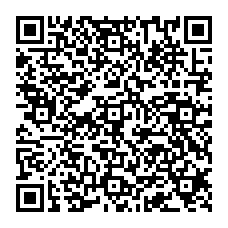
You can also download and install the app by scanning the QR code opposite.
Do this with the Android phone to be used.
The app will be available on the Google Play Store by the end of November 2019.
Installation steps
- Step 1: Uninstall the previous version of the app (if installed).
- Step 2: Check "Unknown sources> Settings> Security> Unknown sources" to enable the switch.
- Step 3: Download the version of the app from the link above or scan the QR code.
- Step 4: Install the .apk file.
- Step 5: Connect to the Galaxy Panel with the IP address and other login details and continue with the normal steps to use the app.
Note: During the removal process, all panel account information is retained and can be retrieved when you log into the "manage service" option after the new GX Remote APP is installed.
If background notifications are not available after installation, clear the cache memory and saved data, for this option go to "Settings> Apps> GX Remote> Storage & Cache" and then clear the saved data and cache memory.
continuous reading
Related Posts
Want to secure your home whilst you’re on holiday? Burglars don’t take a holiday. The holidays are a time to relax and enjoy yourself. Unfortunately, the same cannot be said for burglars. It is precisely during the summer months, when many people are away from home for a few days or weeks, that criminals see their chance. A home that looks unoccupied is an attractive target. Do you want to go on holiday with peace of mind? Then